
Home / Features
The full Securee Pro feature set
What retailers get in the dashboard, and what protection customers get on their device — grouped by what each side actually uses.
01
Login & retailer dashboard
Balance keys, device counts, add-customer flow, full customer list at a glance.
02
Customer detail
Customer, Device, and Control tabs — every enrolled device's status in one screen.
03
Device control
Screen lock, return-lock toggle, and reset-block status, all one tap away.
04
Profile & distributor panel
Retailer profile plus network view for distributors tracking their retailer base.
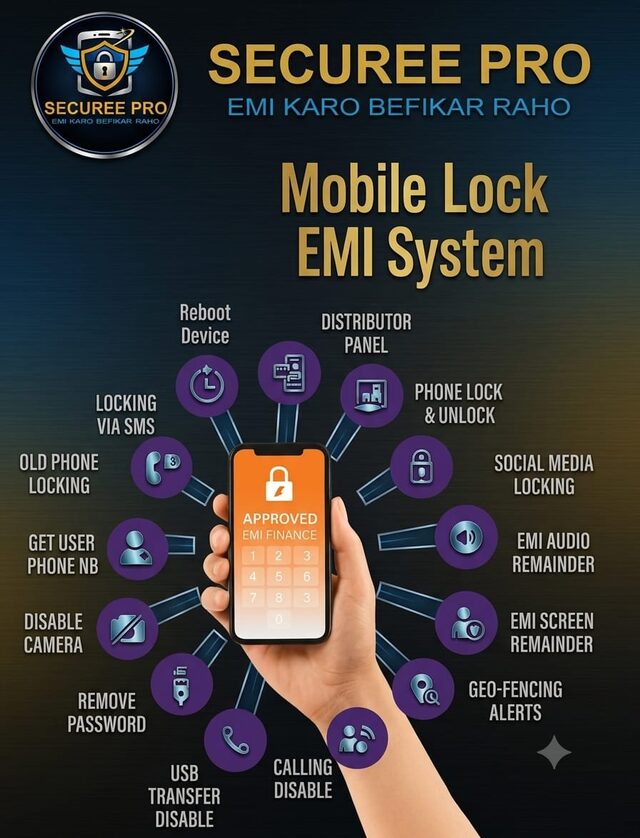
Every capability, grouped
Security, tracking, EMI management, and retailer tools — the complete list from the product spec.
Security
- Remote screen & app lock
- Factory / hard reset blocked
- Anti-thief protection
- Camera, USB, and password controls
Tracking
- Live location tracking
- Geo-fencing alerts
- SIM-change lookup and alerts
EMI Management
- EMI schedule tracking
- Due-date alerts
- Top-up and payment history with QR lookup
Retailer Tools
- Full retailer dashboard
- Customer management
- QR-code enrollment
- Distributor panel
Device Controls
- Audio reminder on the locked device
- Social media app lock
- Auto-lock on a schedule
- Lock by SMS command
- Remote device reboot
- Lock old/exchanged phones too
- Retrieve the device's phone number
- Disable outgoing calls
Built for two different users
Retailers and customers see genuinely different sides of Securee Pro.
For Retailers
- Dashboard, customer management, distributor panel
- Enroll a device and start protection in under a minute
- Lock or unlock remotely the moment a payment status changes
For Customers
- Device stays fully usable as long as EMI is current
- Lock only, and only on missed payment — not surveillance
- Payment reminders before a due date, not just after